
Chrome Extension — Free to Install

Excel Power in Google Sheets

The keyboard shortcuts, formula auditing, and analysis tools you love from Excel — brought to Google Sheets with a single extension.

Works just like Excel

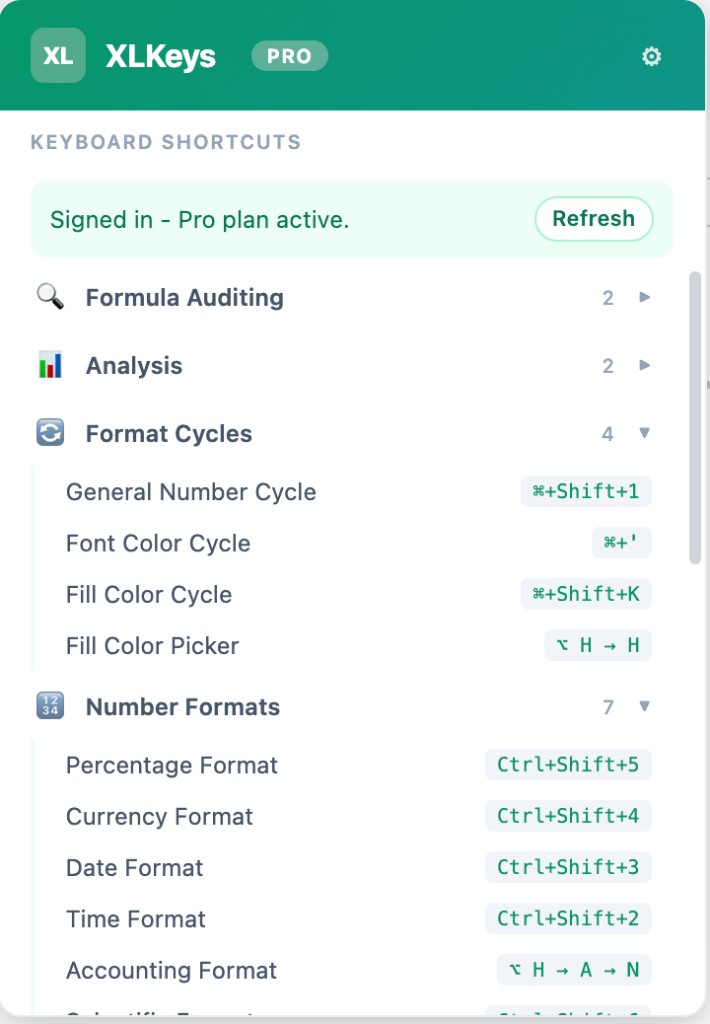
Alt + H, F, CFont Color Picker
Ctrl + Shift + 1Number Format
Alt + T, G, GGoal Seek
Alt + D, T, TWhat-If Analysis
Ctrl + Shift + `Show Formulas
No data leaves your browser
Set up in 30 seconds
Works instantly

Features

Everything you need to be productive

XLKeys brings the power-user tools missing from Google Sheets, all accessible through familiar keyboard shortcuts.

Excel Keyboard Shortcuts

Use the same Alt-key ribbon shortcuts you know from Excel. Hold Alt to enter sequence mode and fly through formatting, navigation, and more.

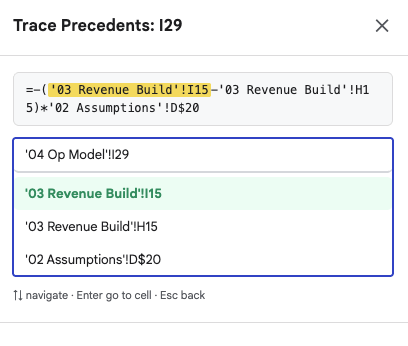
Formula Auditing

Trace precedents and dependents for any cell. Instantly see which cells feed into a formula and where a value flows downstream.

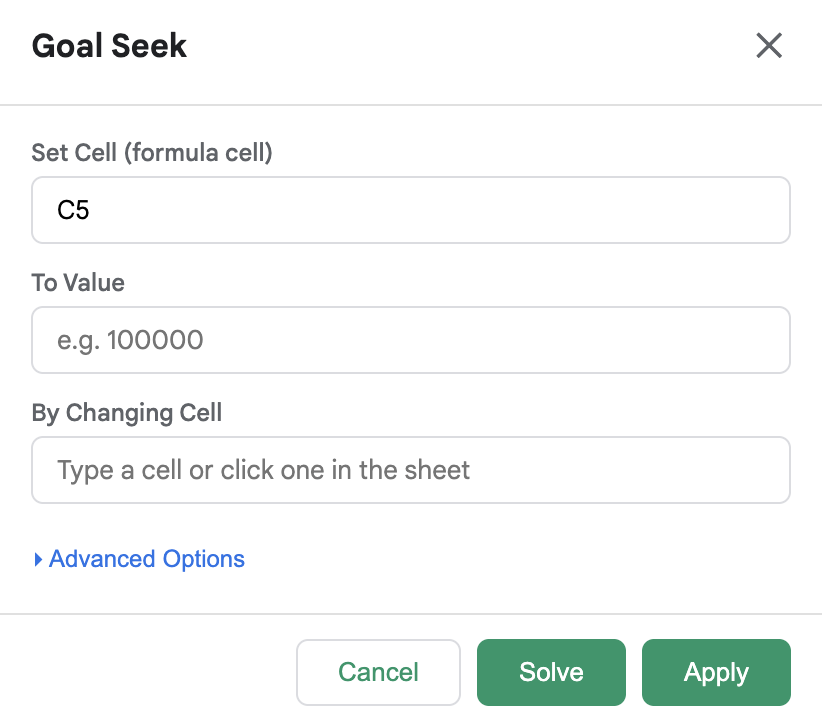
Goal Seek

Set a target value and let XLKeys find the input needed to reach it — just like Excel's Goal Seek, right inside Google Sheets.

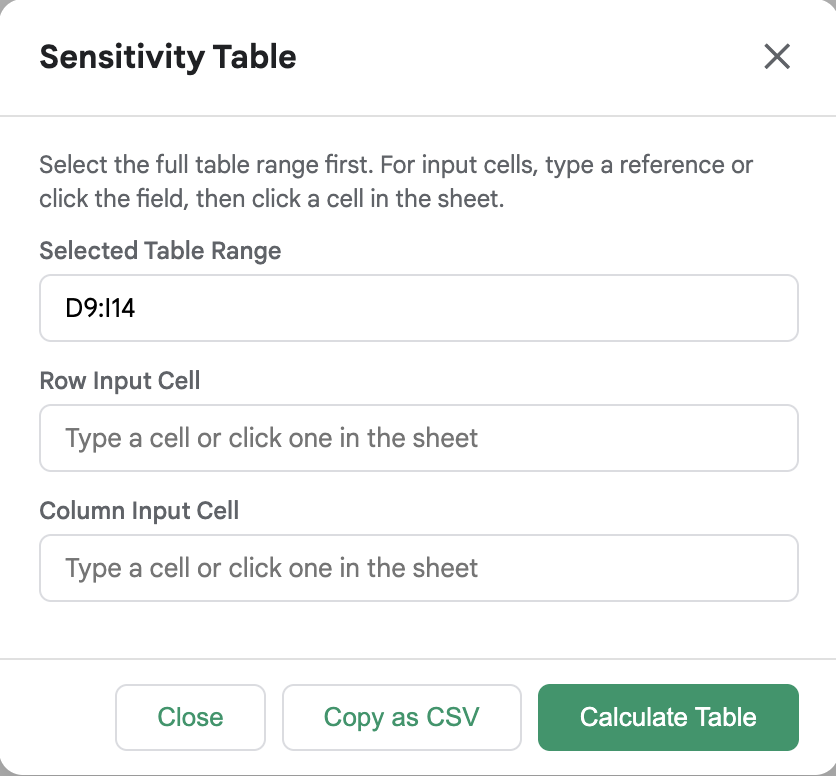
What-If Analysis

Run sensitivity analyses by varying one or two inputs and seeing how results change in a clean data table.

Auto-Color

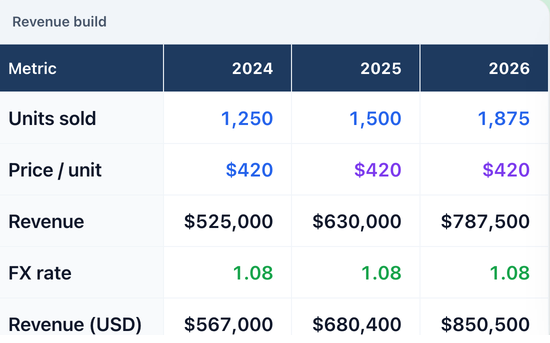
Automatically color-code cells based on whether they contain hardcoded values, formulas, or cross-sheet references.

Export as Image

Select a range and copy it as a PNG image to your clipboard — perfect for pasting into presentations and documents.

How it works

Up and running in 30 seconds

1

Install the Extension

Add XLKeys to Chrome in one click from the Chrome Web Store. No sign-up required.

2

Open Google Sheets

Navigate to any Google Sheets spreadsheet. XLKeys activates automatically.

3

Use Excel Shortcuts

Press Alt to enter shortcut mode, then type your familiar Excel key sequences. It just works.

Pricing

Simple, transparent pricing

Sign up free with a 7-day Pro trial. Upgrade when you're ready.

Free

$0forever

Everything you need to get started with Excel shortcuts.

  • Core Excel keyboard shortcuts
  • Number & date formatting
  • Borders, alignment & fonts
  • Freeze panes & merge cells
  • Trace Precedents
  • Community support
7-Day Free Trial

Pro

$5/month

or $50/year (save $10)

Advanced analysis and power tools for serious spreadsheet users.

  • Everything in Free
  • Goal Seek solver
  • What-If Analysis tables
  • Trace Dependents
  • Auto-Color classification
  • Export selection as image
  • Unlimited custom shortcuts
  • Priority support
Start 7-Day Free Trial

No credit card required

FAQ

Frequently asked questions

Does XLKeys access or store my spreadsheet data?+
No. XLKeys uses the Google Sheets API to apply formatting and read formulas for auditing features, but it never sends your data to any external server. Everything stays between your browser and Google.
Do I need to sign up to use XLKeys?+
No account is required for the free tier. Just install the Chrome extension and start using shortcuts immediately. When you create an account you automatically get a 7-day free trial of all Pro features — no credit card required.
Which Excel shortcuts are supported?+
XLKeys supports the most common Alt-key ribbon shortcuts (Home, Insert, Page Layout tabs), plus Ctrl-based shortcuts for formatting like Ctrl+Shift+1 for number format, Ctrl+B for bold, and many more.
Will XLKeys interfere with native Google Sheets shortcuts?+
XLKeys only activates its shortcut mode when you press Alt (sequence mode) or use specific Ctrl combinations that don't conflict with Sheets' defaults. Native shortcuts continue to work normally.
Can I cancel my Pro subscription anytime?+
Yes, you can cancel anytime from your account dashboard. You'll retain Pro access until the end of your current billing period.
Is there a free trial for Pro?+
Yes! Every new account gets a 7-day free trial of all Pro features automatically — no credit card required. After the trial you can subscribe for $5/month or $50/year.

Ready to supercharge your spreadsheets?

Join thousands of analysts, accountants, and power users who work faster in Google Sheets with XLKeys.