How to install and use XLKeys in Google Sheets
One install, no setup screens. Here is everything you need, including what to do if your work laptop blocks the extension.
Install the extension
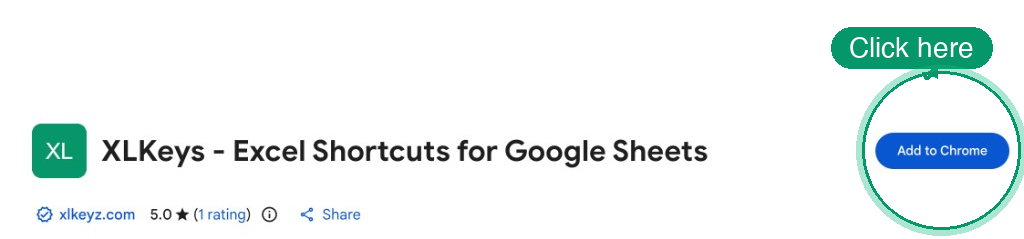
Add XLKeys to Chrome in one click from the Chrome Web Store. No sign-up required: the free formatting shortcuts work the moment the extension is installed.
Want Pro tools like Trace Precedents, Auto Color, Goal Seek, and the Workbook Health audits? Click Continue with Google in the extension and your account is created automatically, with a 30-day Pro trial and no credit card. There is no separate signup form.
Use it in any Google Sheet

Open any Google Sheets spreadsheet. XLKeys activates automatically; look for the XLKeys badge in the toolbar. Then start pressing the shortcuts you already know from Excel:
Press Alt, release it, then type the Excel ribbon sequence you already know.
Highlights every cell a formula references, including other sheets.
Colors hardcodes, formulas, and references using finance conventions.
Bigger models get Goal Seek and Workbook Health audits too. For the full list of every shortcut, grab the free printable cheat sheet.
On a work laptop? Ask IT to allow XLKeys
If Trace Precedents, Auto Color, or other shortcuts do not work on a company computer, the extension is usually blocked or restricted by your organization's Chrome policy, not broken. The fix is a quick request to your IT team. Copy and send them this:
Copy-paste note for IT
Hi, could you allow the XLKeys Chrome extension on my machine? It is currently blocked or restricted by our Chrome policy.
- Extension name: XLKeys
- Extension ID:
jpdneiofokgelbncbjcknpclmgpekllc - Chrome Web Store: https://chromewebstore.google.com/detail/xlkeys-excel-shortcuts-fo/jpdneiofokgelbncbjcknpclmgpekllc
Please add it to the Chrome enterprise extension allowlist (ExtensionInstallAllowlist) rather than leaving it blocked or restricted. I need it for formula auditing (Trace Precedents) and Auto Color in Google Sheets. It uses the Google Sheets API only for spreadsheets I authorize and never sends spreadsheet contents to an external server.
That's the whole setup
Install XLKeys and Google Sheets starts answering to the Excel shortcuts you already know: Alt sequences, Trace Precedents, Auto Color, Goal Seek, and more.